
Keep the original.
Improved Watch recording and Garmin pressure handling, with clearer states when sensor evidence is unavailable.

BreakOff 2 / Available now
A deeper debrief. A cleaner logbook. Garmin on your wrist. Your skydiving, in more detail than ever.
01 / Apple Watch / Advanced output with Pro
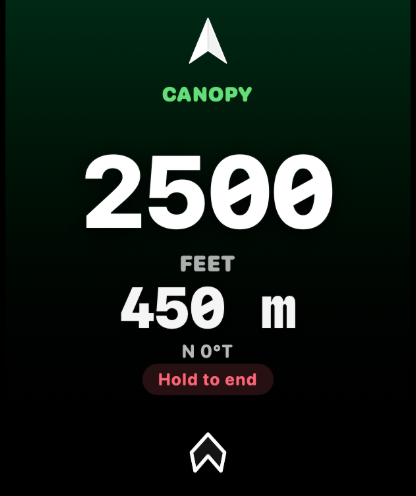
Altitude stays prominent. Target distance and direction get room to breathe.
Choose and name your intended landing target on iPhone using a detailed map, your current location or an explicit pin. Save it, then arm a new Watch session with the selected target.
The new bright-white compass arrow surrounds a clear central readout. Choose feet or metres/kilometres for target distance, independently of altitude and speed. When compass heading is unavailable, a valid target distance can remain visible while the wrist-relative arrow disappears.
This is straight-line distance and direction to your chosen target. It does not calculate a route or a probability of reaching it. The canopy background identifies the phase. It is not a reachability signal.
A Jump Day Status complication brings useful day context to your watch face. Revised larger-text layouts and clearer availability states make everyday access easier.
02 / Garmin / Original FIT import
Record with Garmin. Bring the original into BreakOff.
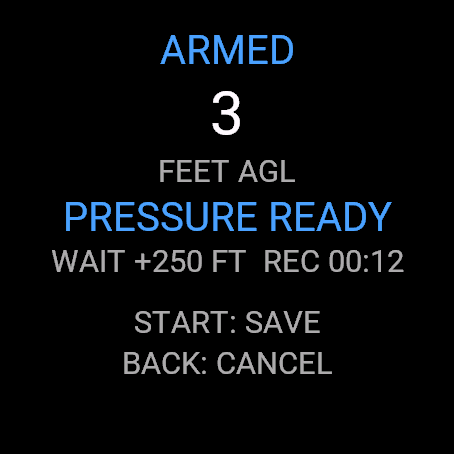
The BreakOff Garmin app is free on Connect IQ for the devices listed there. Record from your wrist and save the original activity FIT. The recorder works independently of your iPhone and a BreakOff subscription.
Export the original activities from Garmin Connect into Files, then open Logbook → + → Import Garmin FIT. Bring in up to six files together, apply common gear and dropzone details, check individual entries and explicitly save the eligible jumps.
Recording Inbox keeps accepted originals and review decisions available through interruptions and restarts. Duplicate and attention states let you resolve repeated files or overlapping Apple Watch recordings without silently replacing evidence.
Logbook or Pro is required to review and save Garmin imports on iPhone. Full analysis needs Pro. Transfer is manual in V2; Garmin Connect does not automatically send the files into BreakOff.
03 / Jump Analysis / Pro
The door opens. Everything changes. After landing, bring the whole jump back into focus.
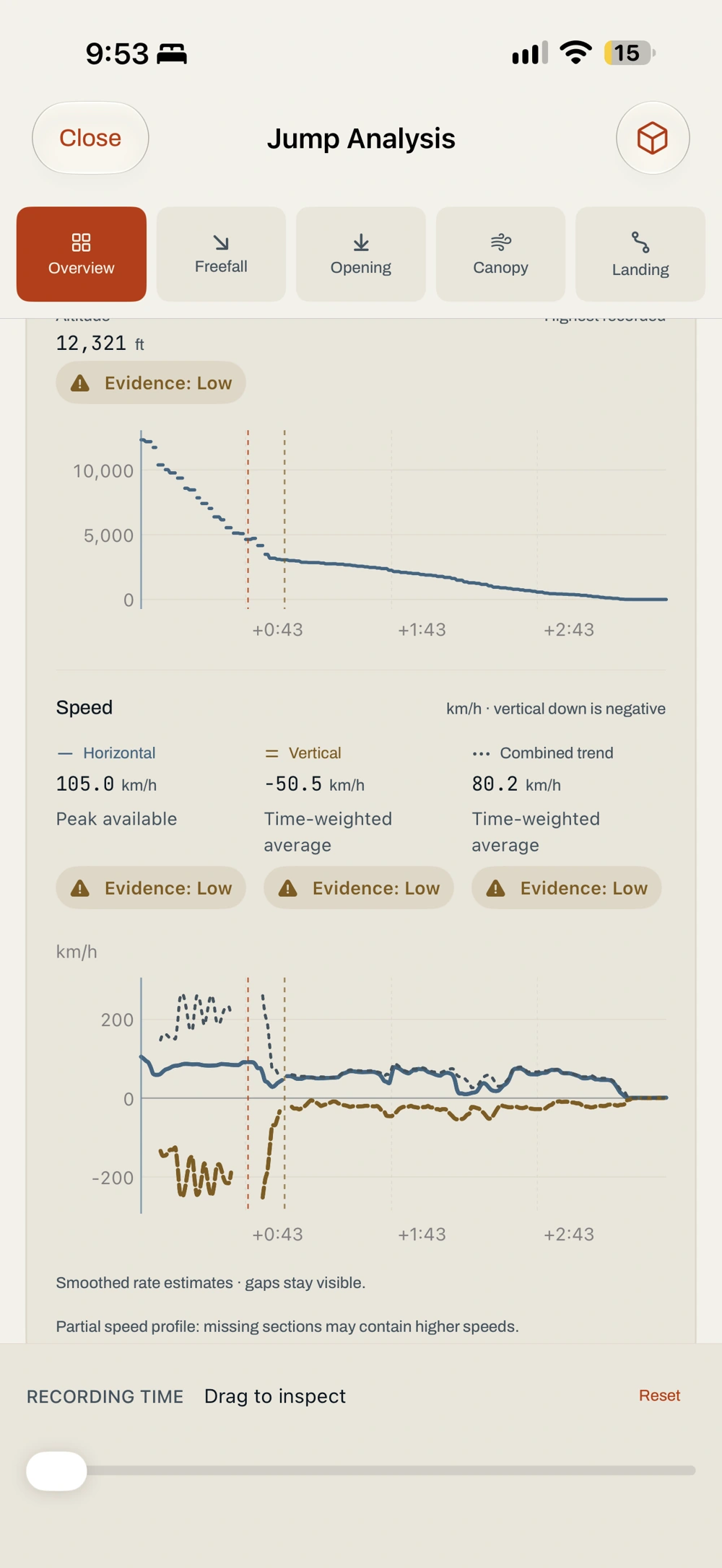
Move straight into Overview, Exit & Freefall, Opening, Canopy or Landing. Linked altitude, horizontal groundspeed, vertical speed and supported combined-speed charts follow the same recorded moment.
Choose a whole phase, a custom interval, or the final 60, 30 or 15 seconds. A floating timeline stays within reach as you scroll. Select a key moment and the linked views move with you.
Under canopy, inspect observed ground glide, descent angle, ground-track direction and turn rate. Supported intervals add time, horizontal travel and height change. Evidence labels explain the coverage behind each result; missing readings stay missing.
04 / 3D replay / Pro
That view from the door was just the beginning.
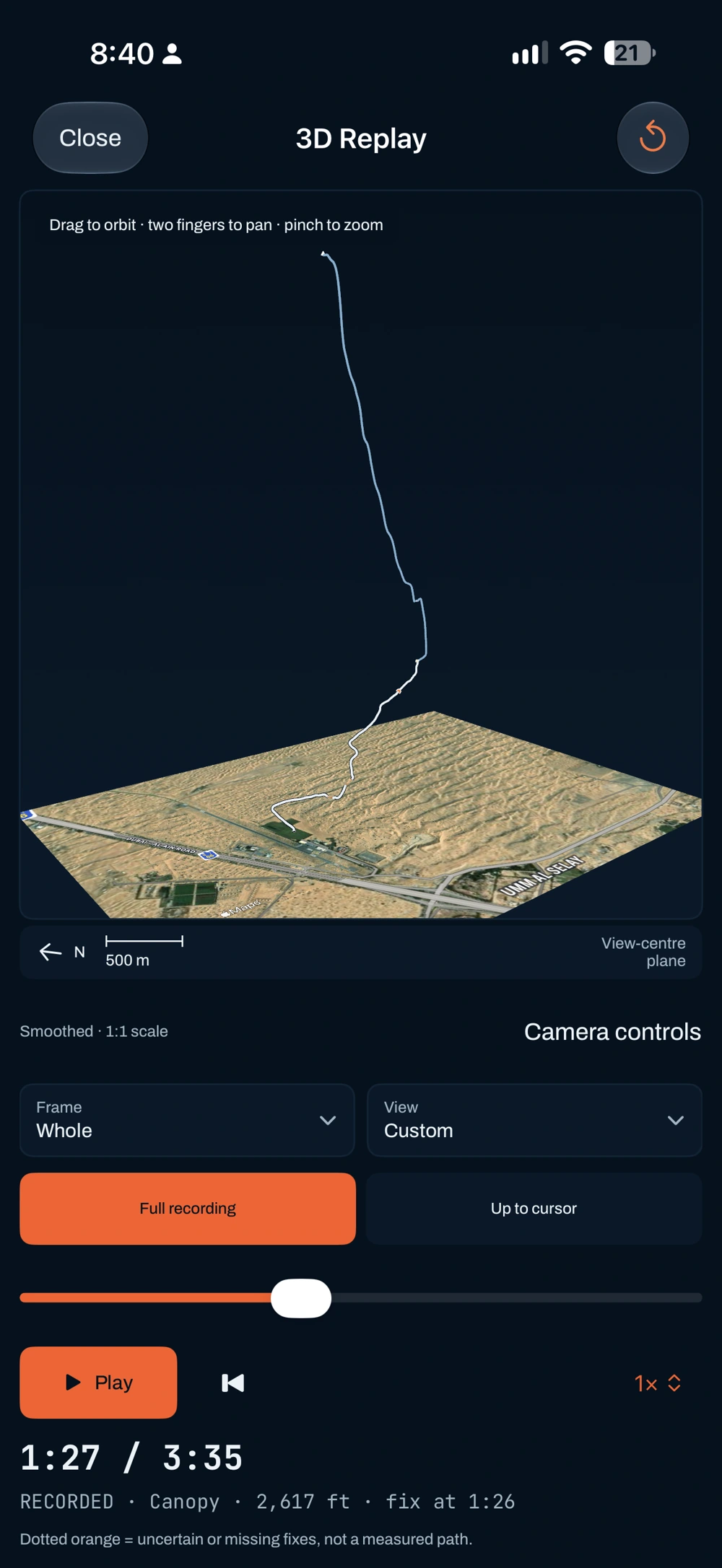
Orbit, pan, zoom and go full screen. Play, pause, restart or scrub the flight, with speeds from 0.25× to 4×. Portrait and landscape controls keep the view in your hands.
Keep the full route visible or reveal it up to the cursor. Switch between Recorded fixes and a labelled Smoothed display. Smoothing changes the presentation; it never rewrites the recording or fills missing GPS evidence.
Linked overhead and side profiles put horizontal travel and height change on clear physical scales. Reset the framing whenever you want the whole picture again.
05 / Opening + landing / Pro
From the opening sequence to the final seconds of canopy flight. Look closer.
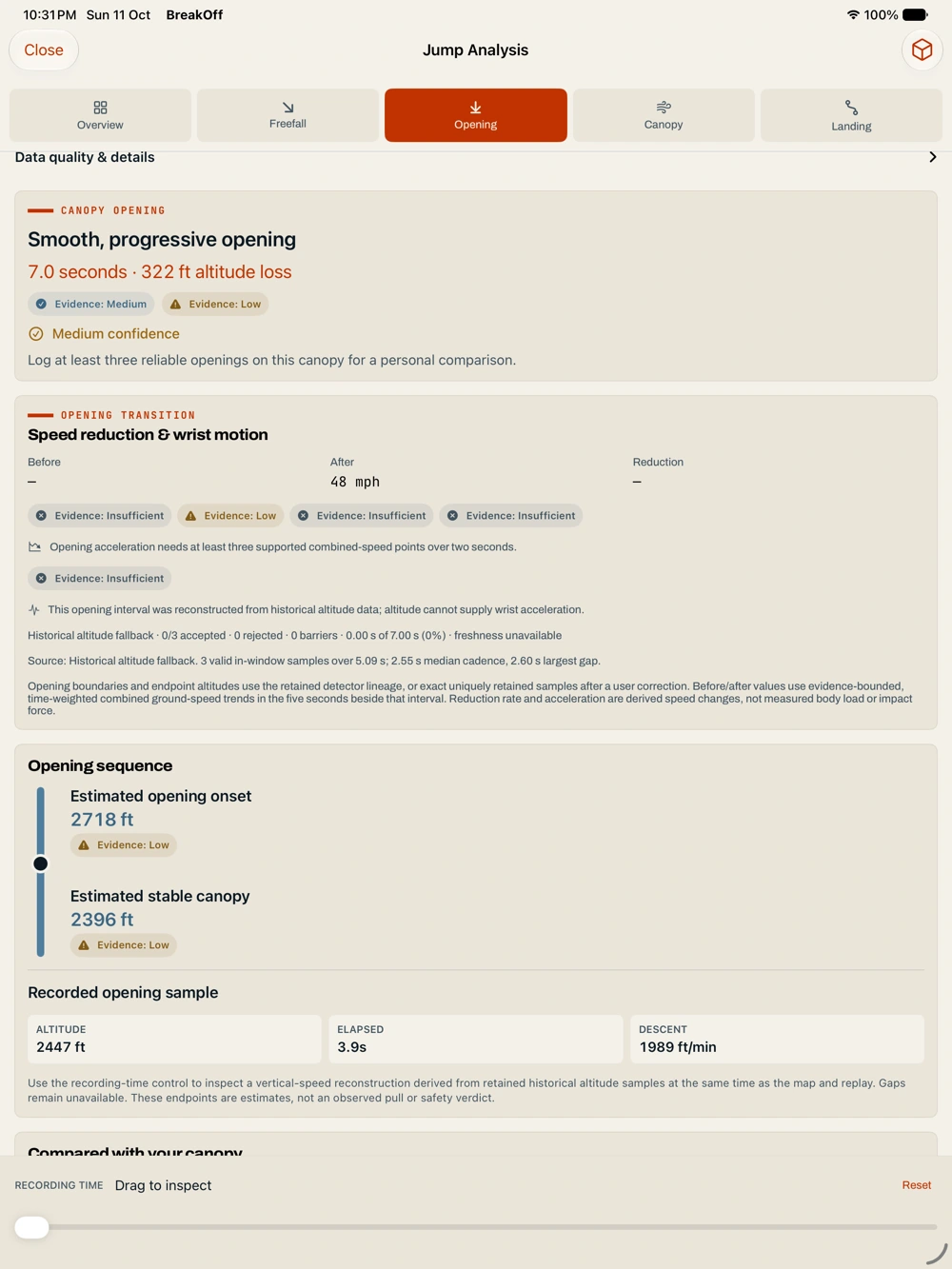
Inspect supported opening timing, height loss and speed reduction in the context of the flight around them. Compatible Apple Watch recordings can also show retained wrist acceleration-vector magnitude, including gravity, and the highest retained sample. This is a wrist measurement, not opening force or whole-body G.
Explore the approach, turns, speed changes and final recording windows. Optional marker review lets you place recovery-arc start, plane-out, touchdown, surf boundaries and rollout end on exact retained samples.
Reviewed intervals can reveal supported duration, travel, height change and speed trends. Required markers and evidence must exist first. Estimated candidates remain suggestions; your review does not overwrite original telemetry or recorded phases.
06 / Heart rate by phase / Pro
Your heart-rate timeline, connected to the jump.
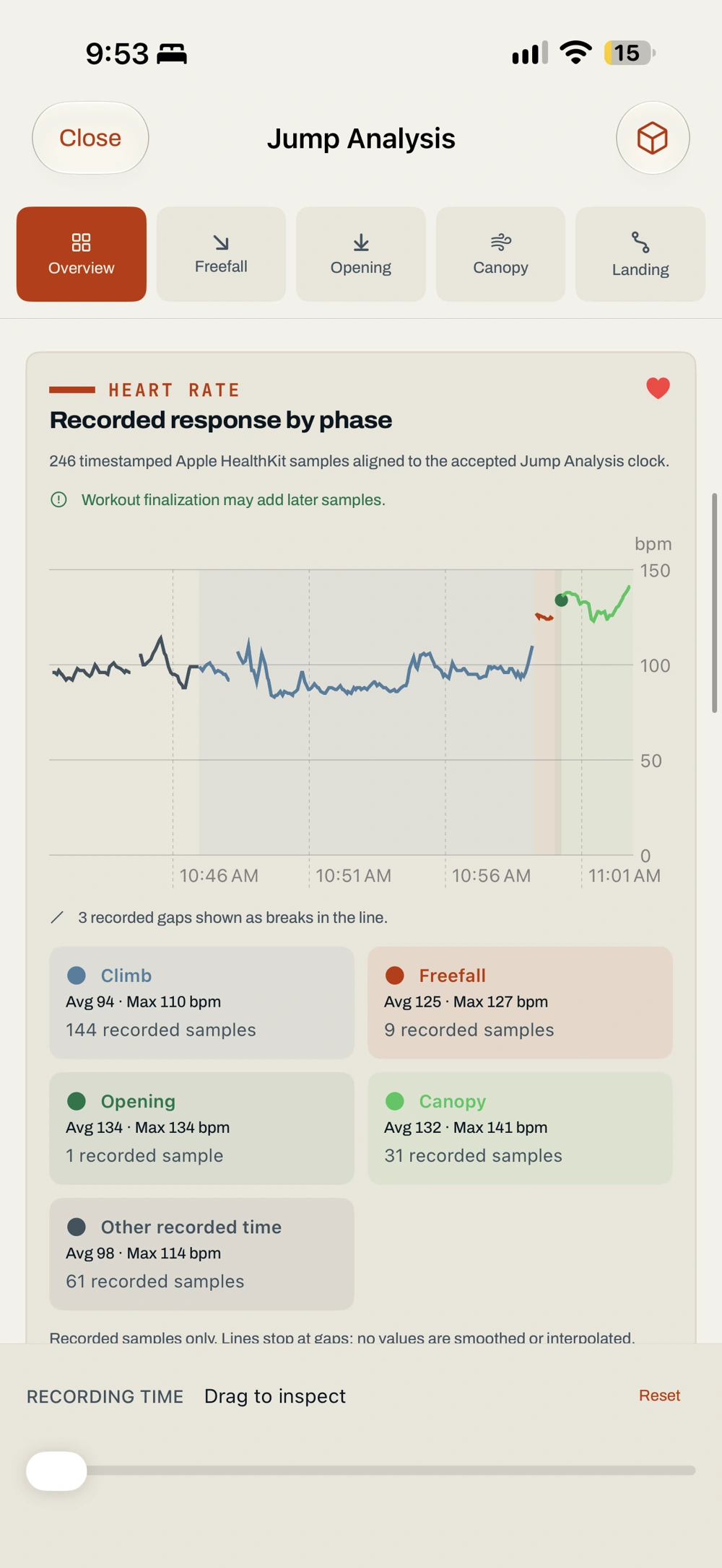
Follow recorded heart rate through climb, freefall, opening, canopy and landing, wherever samples are available. Inspect actual sample times, phase averages, maxima and visible gaps.
Supported Apple Watch and Garmin FIT recordings feed the same debrief. Older jumps with only an average or maximum keep those summaries; BreakOff does not invent a curve between them.
Heart rate adds context to the recording. It does not provide health or safety interpretation.
07 / Recorded-jump comparison / Pro
Put two to four recordings side by side. See the differences in context.
Phase-relative time aligns supported altitude, horizontal and vertical speed, combined-speed trends, glide, descent angle, direction and turn rate. Supported interval and reviewed landing results sit alongside them.
A searchable selection sheet keeps the comparison visible, even when your logbook runs into hundreds of jumps. Canopy, configuration, source and coverage stay attached to the results.
Missing sections remain missing. BreakOff compares the recorded evidence; it does not rank your jumps or prescribe a training plan.
RECORDED JUMPS
08 / Canopy Passport / Pro
Follow the equipment through your skydiving life.
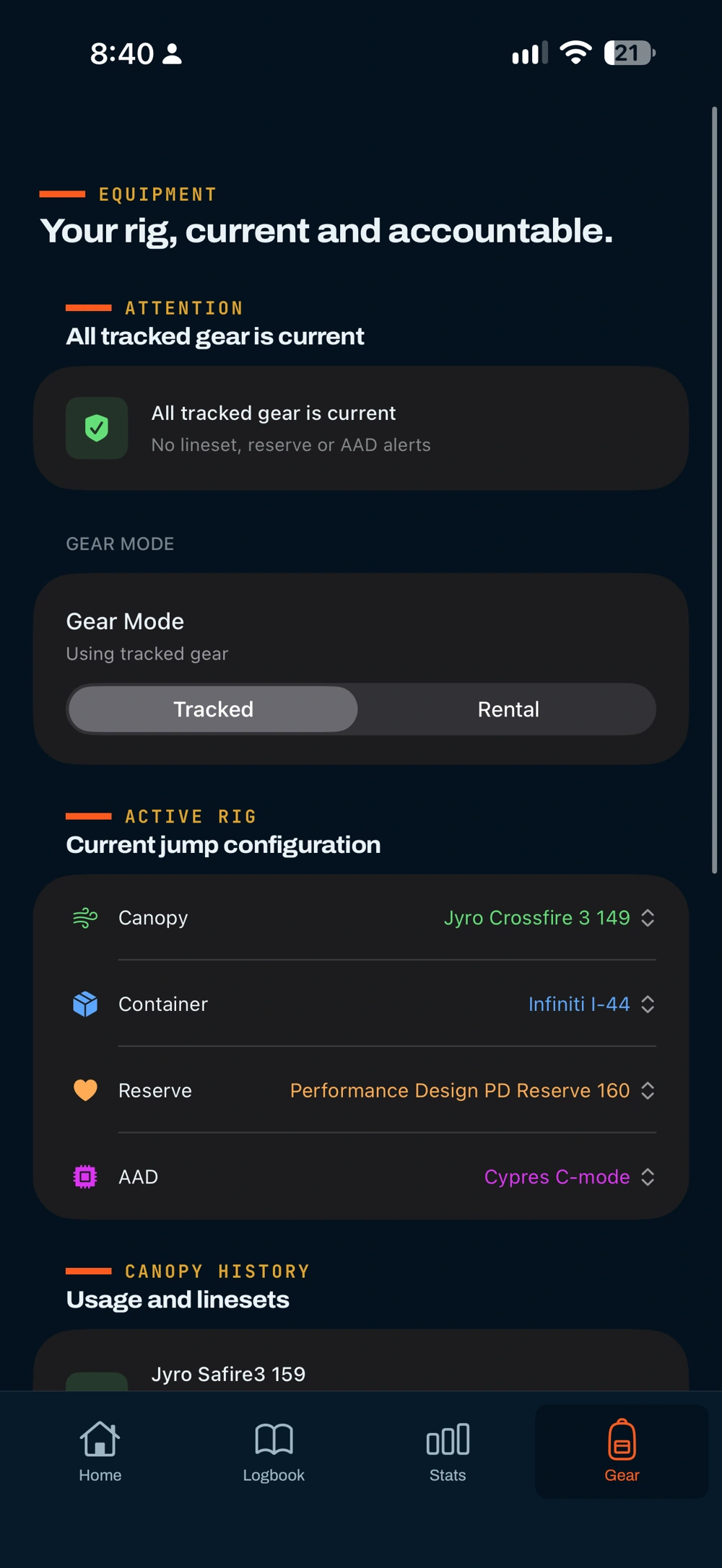
Canopy Passport gathers the recorded history of an exact canopy: linked jumps and dates, current and archived linesets, service notes and supported opening and flight trends.
Explore historical opening duration, opening altitude loss and observed ground glide. Reviewed landing intervals can contribute supported travel summaries. Follow a result back to its jump, with included, excluded and missing evidence visible.
Recorded canopy totals and analysable jumps remain distinct. This is a historical dossier, not an airworthiness certificate, remaining-life forecast or recommendation to change canopy size.
09 / Interface + everyday logbook
A cleaner interface for the jump day — and everything you have built before it.
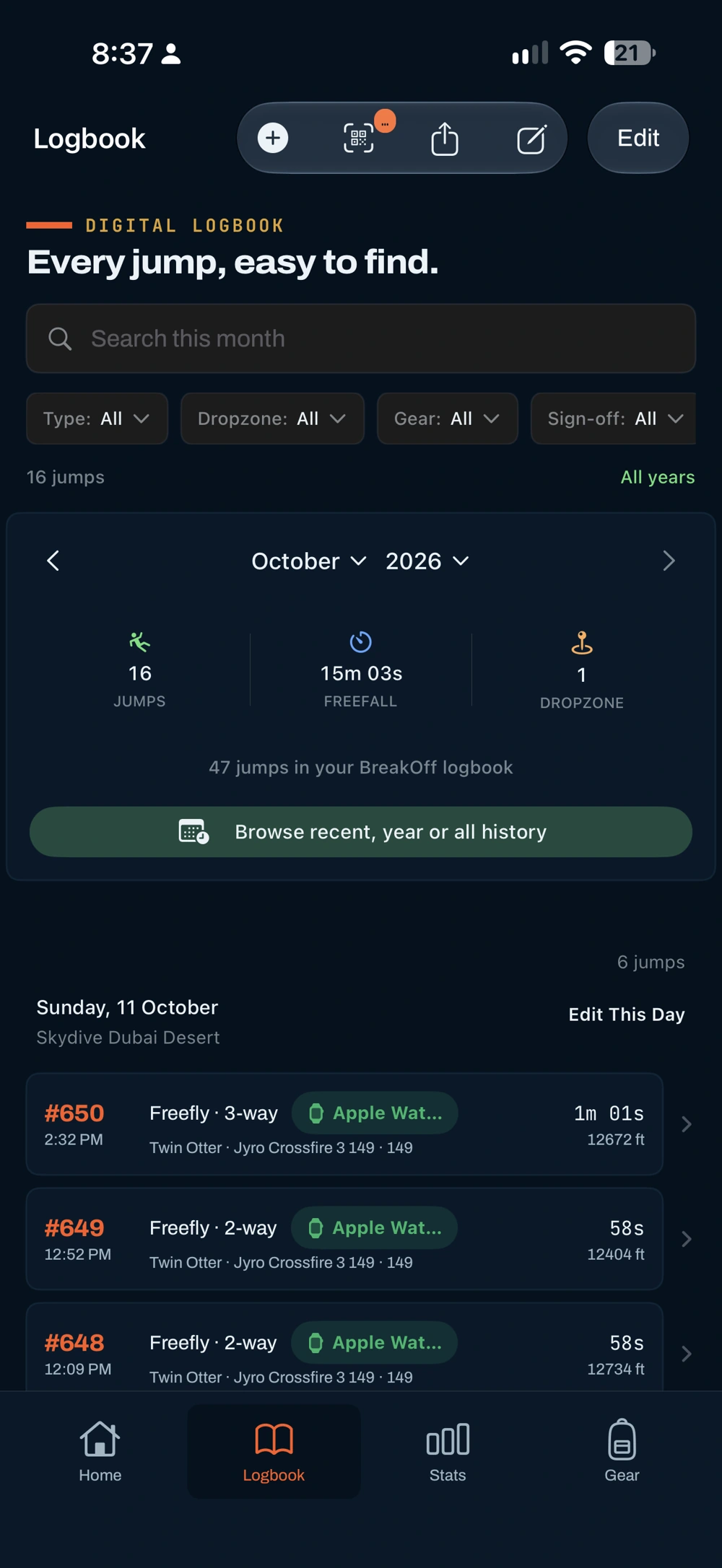
Browse recent history, a calendar year or all records. Search and filter within the selected period, with a lightweight paged catalog for larger logbooks.
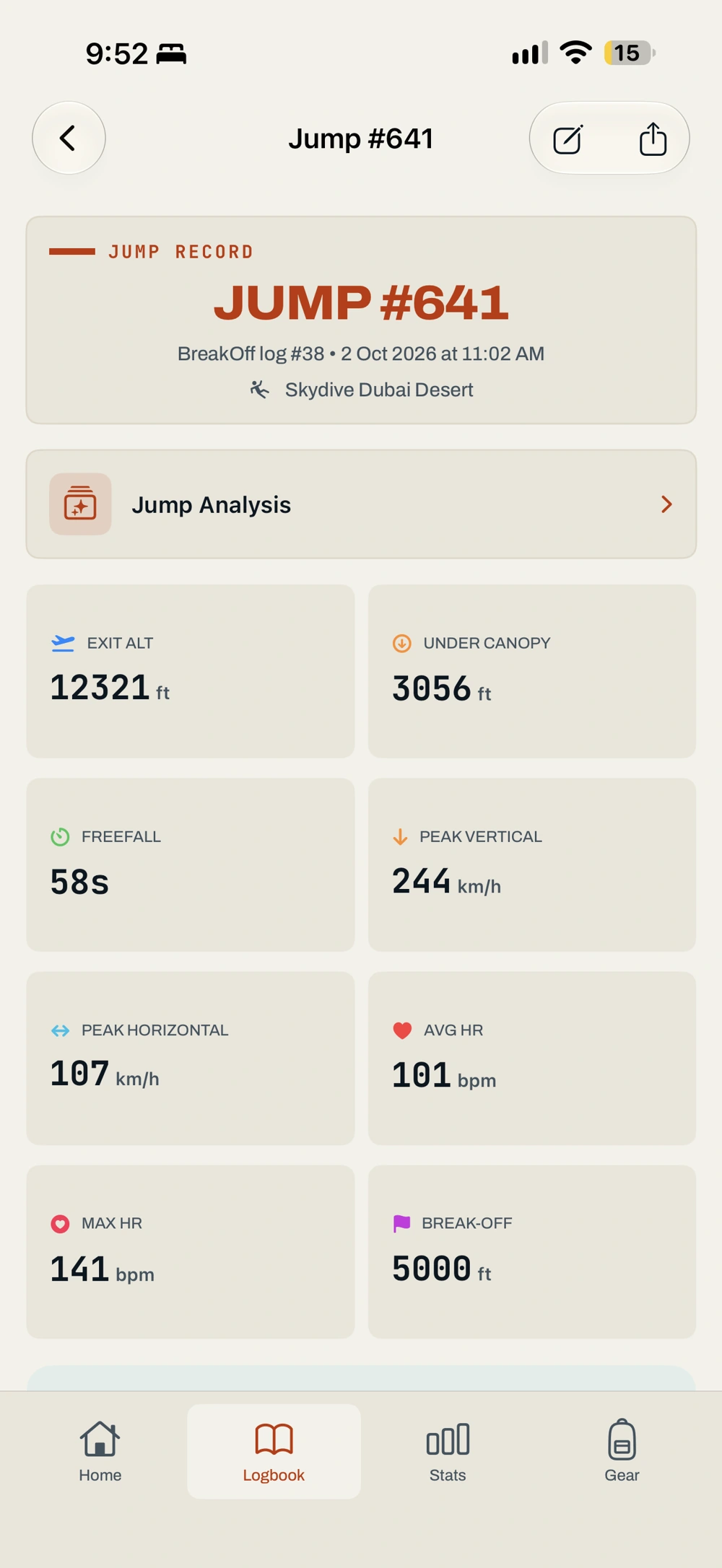
Individual jump pages are cleaner, with editing in the header and a direct Jump Analysis entry. Free and Logbook open straight into Logbook. Pro Home keeps days since the last jump and relevant alerts, without repeating the latest jump or empty gear-status sections.
Correct summary dates, exit and deployment altitudes, break-off altitude and freefall duration while preserving original measurements. Guarded date and bulk corrections protect the chronology behind gear and service records. Manual entry remembers useful canopy, rental and aircraft choices.
Stats makes the scope explicit: recent 20 jumps or the selected period, matching totals, chart coverage and clearer missing-data states. Larger text and chart readouts are easier to follow.
10 / Sharing + recording reliability
The record matters as much as the view.
Share concise analysis results with their limitations. The summary excludes precise coordinates. Detailed analysis JSON and CSV exports retain source, interval, evidence and review information, with deliberate opt-in for exact location where supported.
V2 strengthens Watch recording and transfer, Garmin sensor handling, duplicate detection, interrupted saves, deletion, recovery and upgrade preservation. Clearer states make it easier to understand what has been recorded, what is pending and what still needs review.
QR sign-off, PDF/CSV logbook exports, linked Photos videos, gear and lineset tracking, and backup tools continue in the appropriate plan. They are established capabilities carried forward into this larger release.
Pending Watch recordings and Recording Inbox originals are separate from an iCloud logbook backup. Finish pending saves and export retained originals before deleting the app or changing phones. Keep original Garmin FIT files until import is reviewed and saved.
ORIGINALS + LOGBOOK + EXPORTS
The foundations, strengthened
Improved Watch recording and Garmin pressure handling, with clearer states when sensor evidence is unavailable.
Stronger queued transfers and interrupted-save recovery help distinguish a pending recording from a saved jump.
Repeated files and overlapping Apple Watch/Garmin recordings receive explicit review instead of silent replacement.
Guarded date and bulk corrections respect gear chronology while retaining the original recording.
Clearer backup, recovery and removal states help separate saved logbook history from pending originals.
Existing records stay preserved, and active Pro entitlements carry forward into the new three-plan model.
11 / Free · Logbook · Pro
Unlimited Apple Watch capture. See your ten newest saved jumps with basic summaries and a 2D GPS track. Older records remain preserved.
Unlimited records, manual entries, Garmin imports, corrections, search, QR sign-off, PDF/CSV export and backup controls.
Everything in Logbook, plus full analysis, comparison, 3D replay, phase heart rate, Canopy Passport, Stats, gear and advanced Watch output.
Existing subscribers with an active BreakOff Pro entitlement keep Pro access without buying it again.
Compare all three plansBreakOff 2 / Available now
Record your jumps. Explore every flight. Understand your progression.
iPhone + Apple Watch · Free Garmin recorder on supported devices