

“I'll log it later.”
Six jumps in. Packing in the heat. Someone's buying beer. Years of progression deserve more than whatever you remember on the drive home.
BreakOff 2 / Available now
Skydiving intelligence.
Record your jumps. Explore every flight. Understand your progression.
Apple Watch + Garmin. One personal skydiving record.
Current V2 / On the wrist
Your phone stays in the bag. Your Watch records the jump.
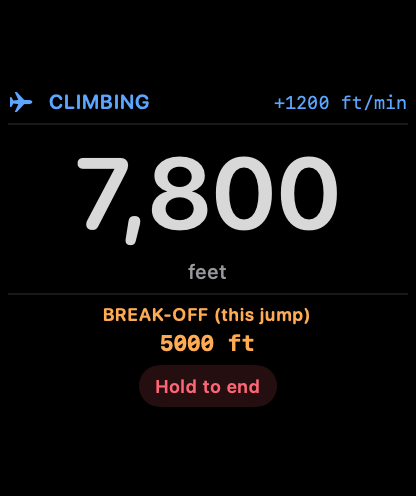
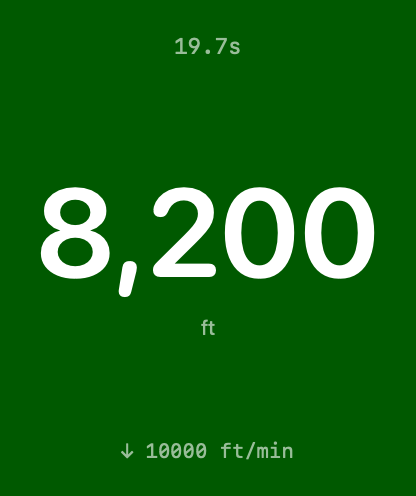

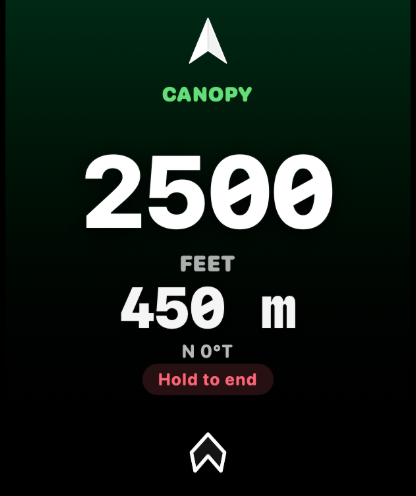
Current V2 production UI with illustrative sensor values. Tracker and logbook only. Always fly your certified instruments.
Set up Apple Watch01 / Apple Watch / Advanced output with Pro
Altitude stays prominent. Target distance and direction get room to breathe.
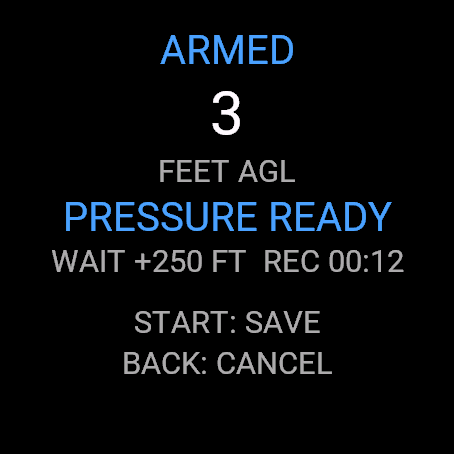
Choose and name your intended landing target on iPhone using a detailed map, your current location or an explicit pin. Save it, then arm a new Watch session with the selected target.
The new bright-white compass arrow surrounds a clear central readout. Choose feet or metres/kilometres for target distance, independently of altitude and speed. When compass heading is unavailable, a valid target distance can remain visible while the wrist-relative arrow disappears.
This is straight-line distance and direction to your chosen target. It does not calculate a route or a probability of reaching it. The canopy background identifies the phase. It is not a reachability signal.
A Jump Day Status complication brings useful day context to your watch face. Revised larger-text layouts and clearer availability states make everyday access easier.
02 / Garmin / Original FIT import
Record with Garmin. Bring the original into BreakOff.
The BreakOff Garmin app is free on Connect IQ for the devices listed there. Record from your wrist and save the original activity FIT. The recorder works independently of your iPhone and a BreakOff subscription.
Export the original activities from Garmin Connect into Files, then open Logbook → + → Import Garmin FIT. Bring in up to six files together, apply common gear and dropzone details, check individual entries and explicitly save the eligible jumps.
Logbook or Pro is required to review and save Garmin imports on iPhone. Full analysis needs Pro. Transfer is manual in V2; Garmin Connect does not automatically send the files into BreakOff.
The problem
You remember the feeling.
Your logbook should remember the rest.
Six jumps in. Packing in the heat. Someone's buying beer. Years of progression deserve more than whatever you remember on the drive home.
Tracking should fit the way you actually skydive. One tap on your Watch before boarding. Nothing to press in the air.
Canopy jumps. Lineset totals. The next repack. BreakOff brings the record together, so the details don't depend on memory.
New in v2 / 3D replay / Pro
The view from the door is only one angle. Follow the path, revisit the opening, and see the canopy flight in a whole new dimension.
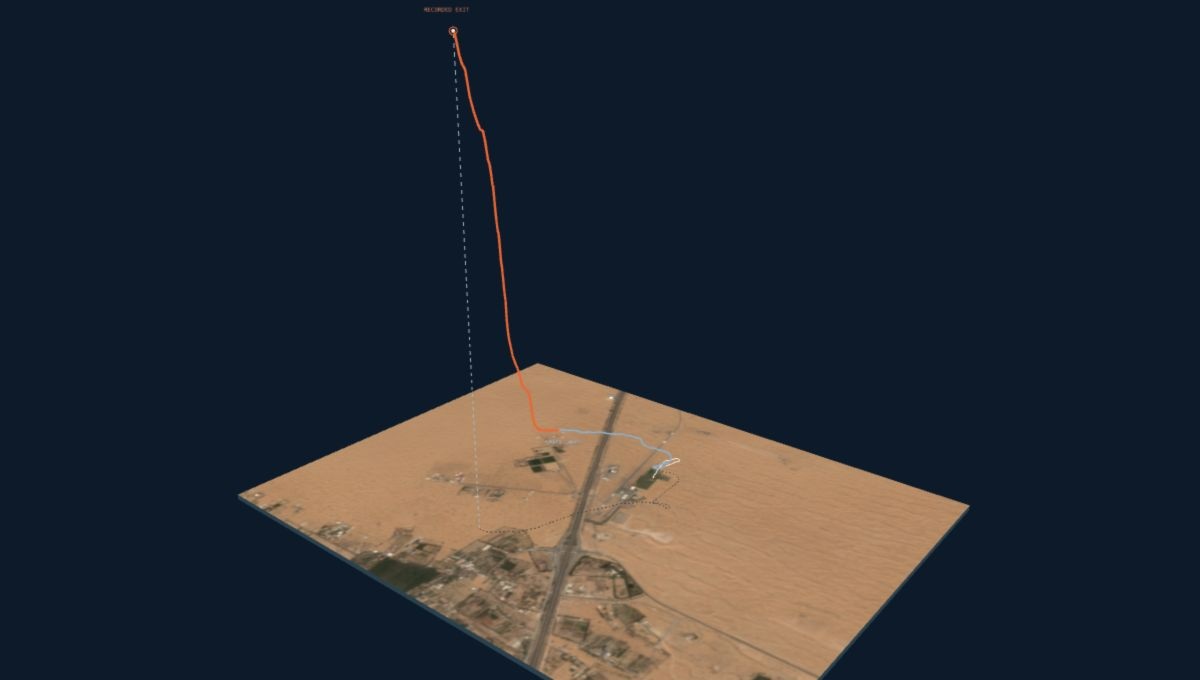
Drag to orbit · scroll to zoom
Load the recorded flight to orbit, scrub and explore.
A real Garmin recording, reconstructed by the V2 import engine. 182 GPS points · gaps ≤2 seconds. Position and altitude follow the original FIT; playback interpolates between fixes. Final GPS fix shown, not a confirmed touchdown. Historical satellite imagery. This website demo is not the in-app interface.
See the real app03 / Jump Analysis / Pro
The door opens. Everything changes. After landing, bring the whole jump back into focus.
Move straight into Overview, Exit & Freefall, Opening, Canopy or Landing. Linked altitude, horizontal groundspeed, vertical speed and supported combined-speed charts follow the same recorded moment.
Choose a whole phase, a custom interval, or the final 60, 30 or 15 seconds. A floating timeline stays within reach as you scroll. Select a key moment and the linked views move with you.
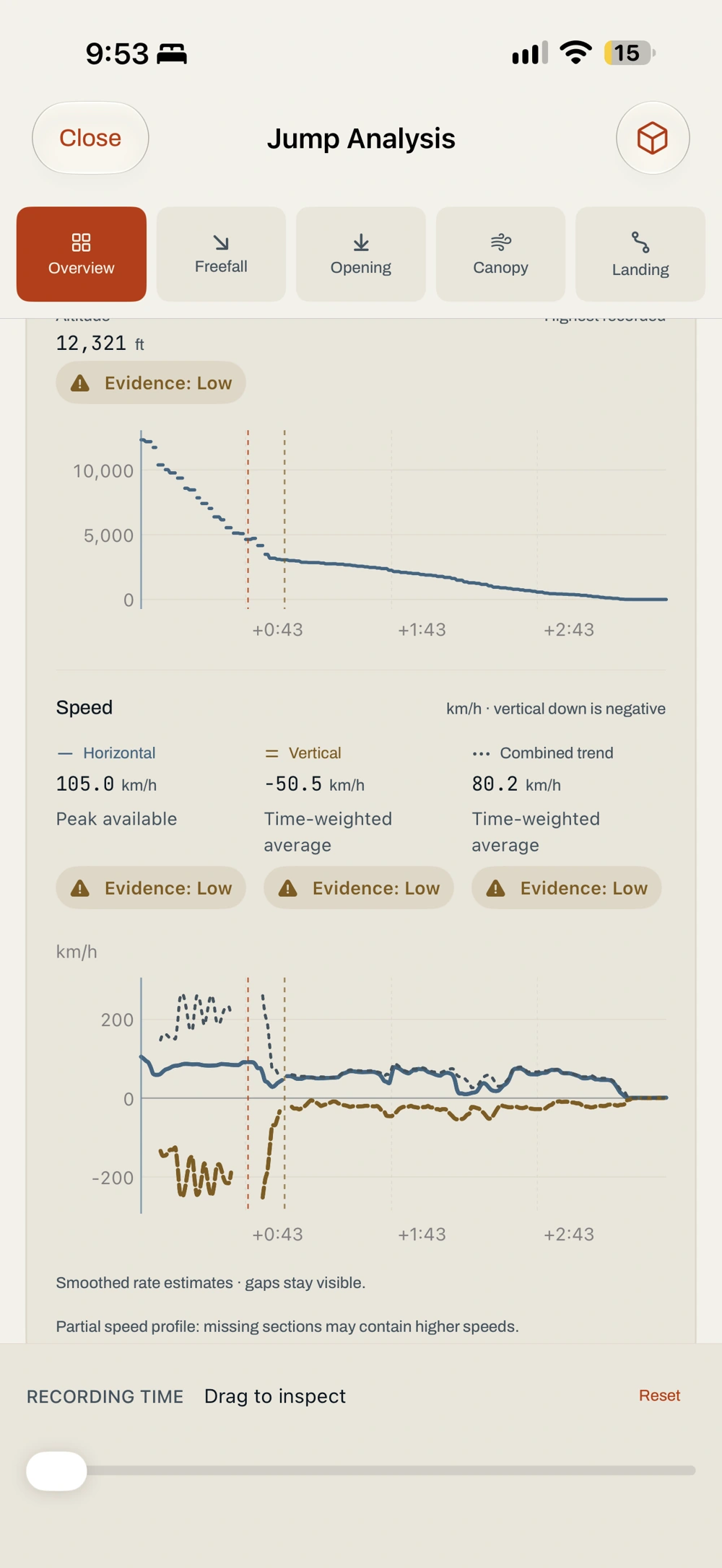
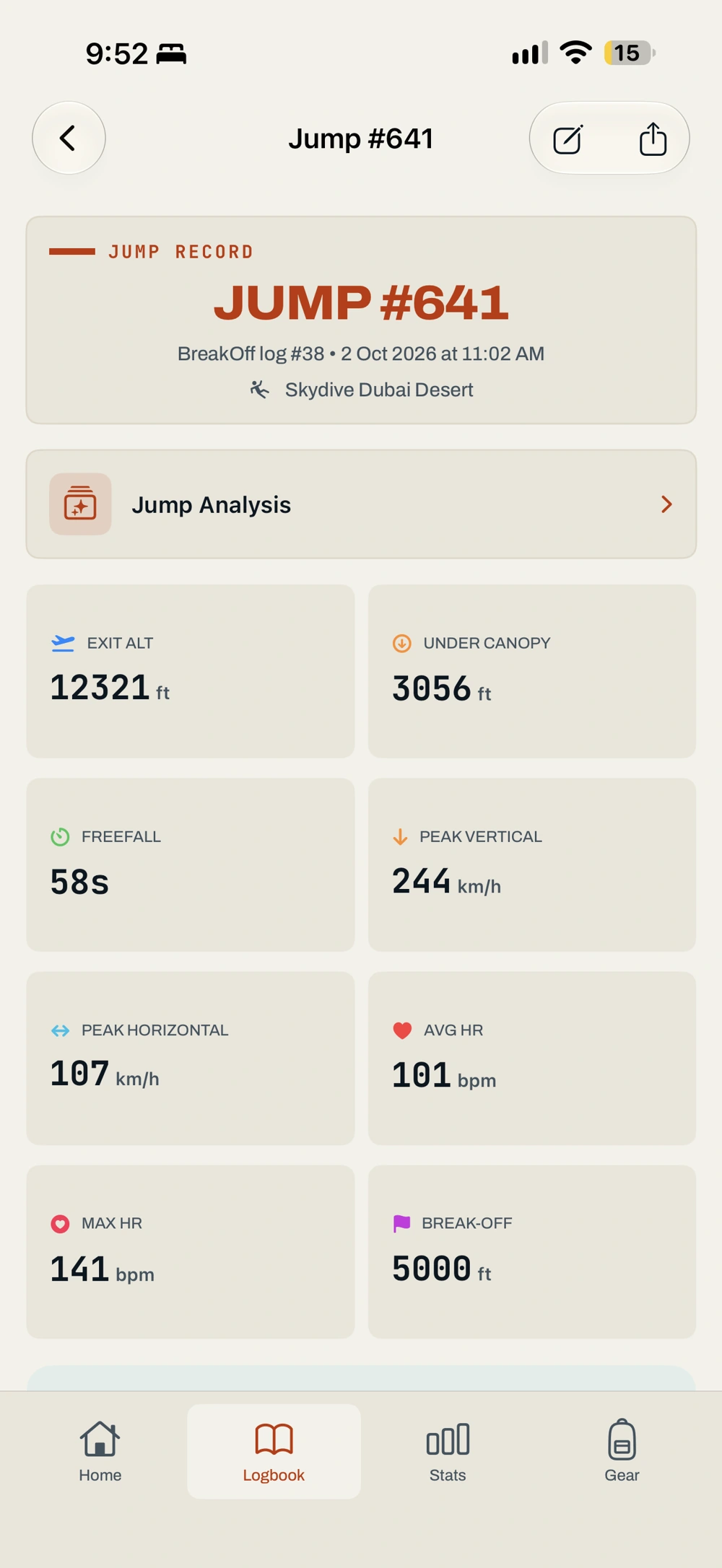
From wrist to record / One jump in V2
A real jump, shown in the current app.
Open the saved jump after transfer. Review the summary and use the direct Jump Analysis entry to explore the retained flight.
Add the dropzone, aircraft, discipline and notes. Check gear and sign-off, then keep the record in your history.
More of the picture / Pro
Line up two to four recordings. Compare supported measurements and see each flight in context.
Compare the details ↗Bring linked jumps, opening trends, linesets and recorded events into one canopy-centred view.
Meet Canopy Passport ↗Explore recorded heart rate across the phases when timestamped samples are available.
See what’s new ↗Editorial illustrations above are not app screens or measured data.
04 / After landing
After transfer, the jump is ready to review. Keep the record, add the details, and see your progression take shape.
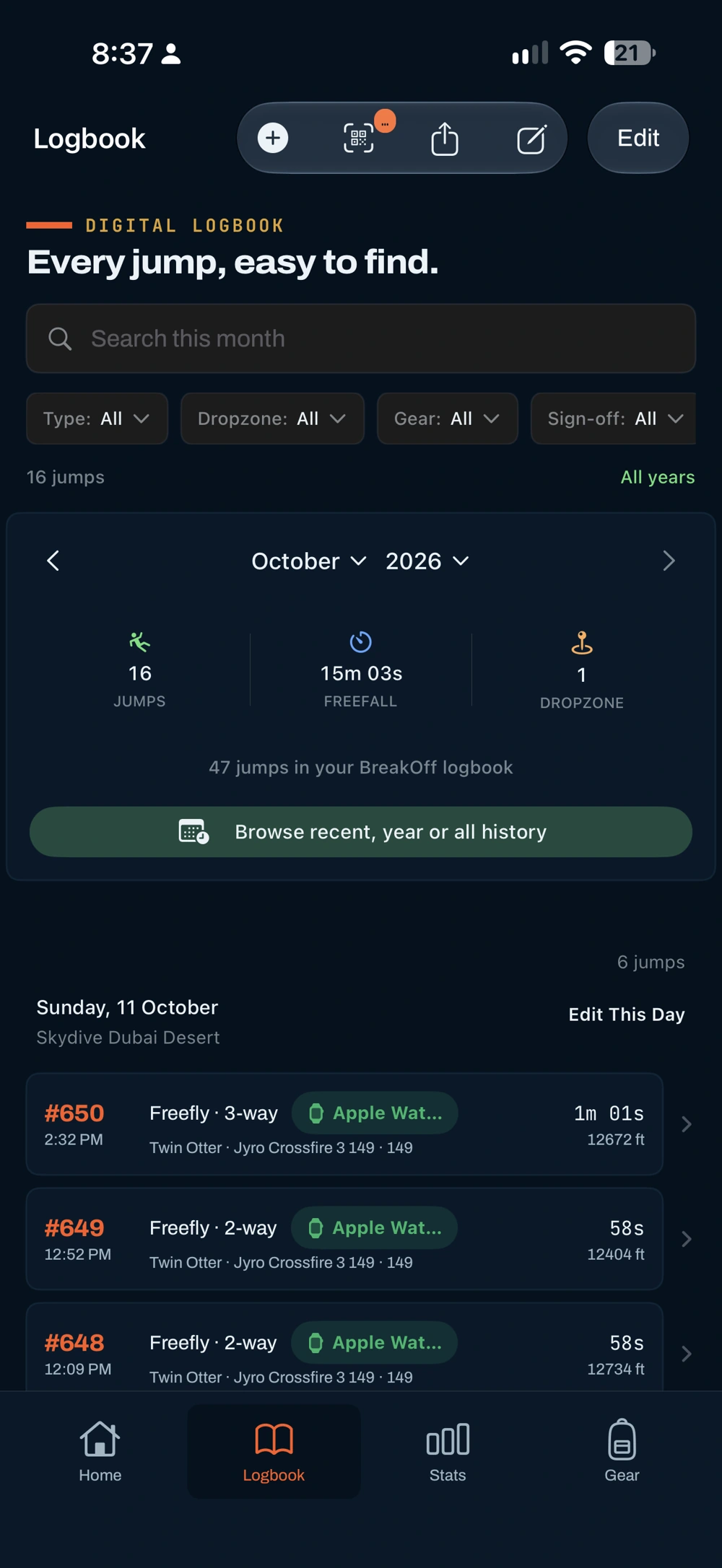
Recent history, a calendar year or all records. Search and filter within the period you choose.
Exit, freefall, canopy, heart rate and GPS. The details that memory misses.
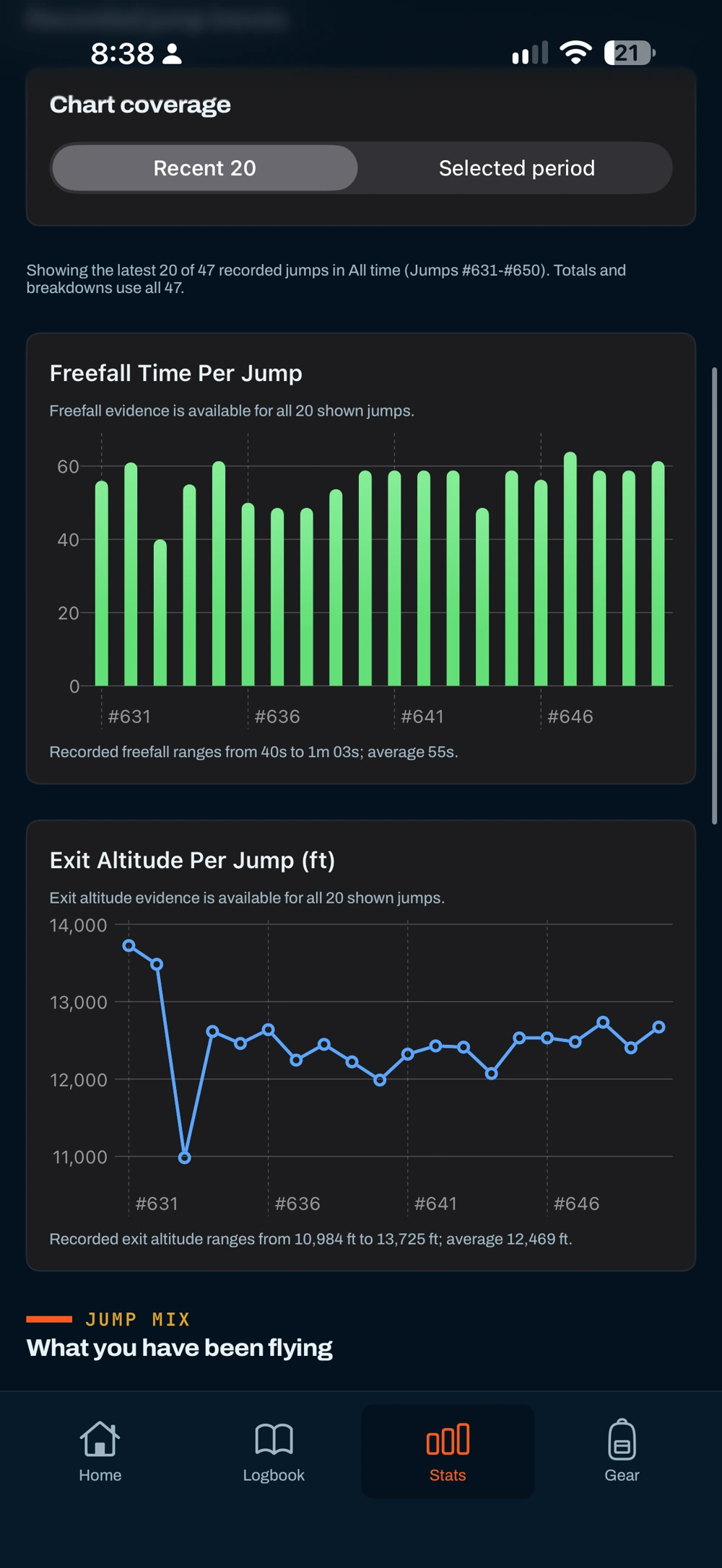
Explore your selected period, with clear coverage and the history behind the totals. Pro unlocks the full Stats view.
Current V2 phone screens. Recorded data where shown. Full Stats and gear management require Pro.
Browse recent history, a year or all records. Search within your selected period and keep lifetime jump numbering.
Canopy and lineset totals follow each saved jump. Repack and AAD reminders stay in the same place.
In-person sign-off fields. PDF and CSV export by selection, month, year or your whole logbook.
 On the BreakOff team
Built around real jump days
“BreakOff feels like it has been built by someone who actually understands jump days.”
“The pre-jump flow, the Apple Watch tracking and the logbook all solve real problems skydivers care about.”
Skydive Empuriabrava · previously Skydive Dubai
7,000+ skydives / AFF & tandem instructor / Coach
Carla helps shape BreakOff, keeping it grounded in the climb, the dirt dive, the pack job and the “I'll log it later” problem.
Meet the people behind itExplore the resource and the documented logbook workflow.
Your jumps. Your history.
The progression you've worked for deserves a record you can keep, recover and take with you.
Your records are retained when a subscription ends. Free shows your newest ten saved jumps; a paid plan restores access to the wider logbook.
iCloud backup plus independent local and iCloud Drive snapshots help you recover your history after a reinstall.
Logbook records, GPS tracks and Health data are excluded from analytics. Read the policy for the full details.
Read the privacy policyBuilt by a skydiver. Tested jump by jump.
Read why BreakOff exists
V2 pricing / Free · Logbook · Pro
Start with the record. Keep your whole history. Go deeper when you want more from the debrief.
Free
$0
No subscription.
Start recording on Apple Watch. Keep your latest jumps close.
Logbook
$4.99/ month
Or $49.99 billed yearly.
Your complete jump history, kept together and ready to take with you.
Pro
The complete debrief$7.49/ month
Or $74.99 billed yearly.
Everything in Logbook. A deeper understanding of every recorded flight.
US App Store reference pricing. Local prices and eligible trial terms appear in the App Store at purchase. BreakOff 2 is available now. Compare every plan ↗
Full Jump Analysis, 3D replay, recorded-jump comparison, phase heart rate, Canopy Passport, Garmin FIT import, a clearer Watch canopy screen and a refined logbook. See the full release.
No. Record on Apple Watch, then let the jump transfer when your devices reconnect after landing. The free Garmin recorder also works independently; bring its original FIT files into BreakOff afterwards.
Transfer into BreakOff is manual. Export the original FIT activity from Garmin Connect, save it in Files, then choose Logbook → + → Import Garmin FIT. Review and save up to six files per batch. Follow the Garmin guide.
Apple Watch capture has no subscription limit. Free shows your newest ten saved jumps. The Garmin recorder is free; reviewing and saving Garmin imports on iPhone needs Logbook or Pro. Full analysis and 3D replay need Pro.
Your records stay preserved. Free shows the newest ten saved jumps, including retained records from supported sources. Upgrade to Logbook or Pro to reveal the wider history again.
iPhone with iOS 26 or later. Apple Watch recording needs watchOS 26 or later and a working barometer. Garmin FIT import does not require an Apple Watch. Check the Connect IQ device list for supported Garmin models.
No. It is a tracker and logbook, not a certified altimeter, audible or emergency device. Always use your certified instruments, training and normal procedures.
No. An active BreakOff Pro entitlement continues as Pro in V2. If access is missing, use Restore Purchases with the Apple Account that owns the subscription.
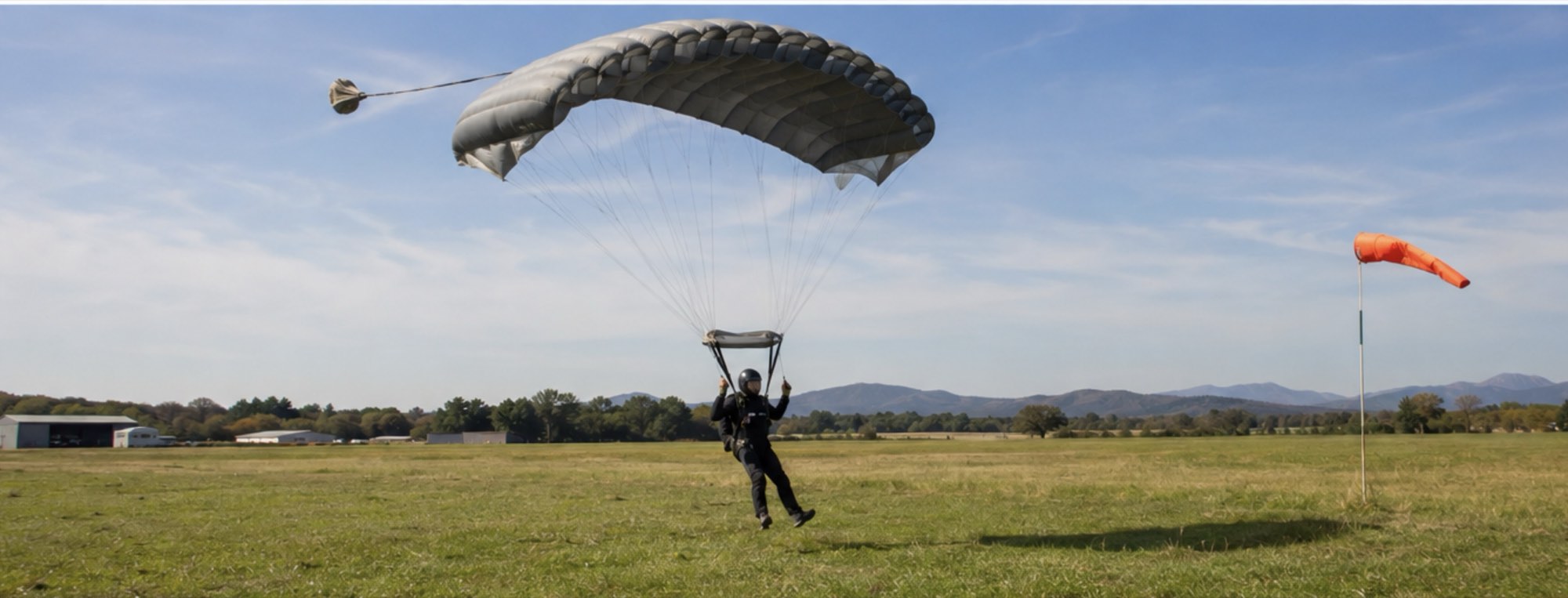
Wheels down. Eyes up.
Arm it before you board. Fly your skydive.
Come down with the story.
BreakOff 2 · Available now · iPhone + Apple Watch · Garmin FIT import